

CELO Coin

CELO ਬਟੂਆ

Explore mobile-first blockchain technology with Celo Wallet, your entry point to the Celo Network's user-friendly financial tools. Benefit from secure storage, full transparency, and participation in governance. With Celo Wallet, you’re not just managing assets, you're empowering communities globally. Download now and contribute to the accessibility of DeFi everywhere!

CELO ਬਟੂਆ

What Is Celo?

Celo, launched in April 2020, is a blockchain ecosystem focused on increasing cryptocurrency adoption among smartphone users. It emphasizes making financial tools accessible and beneficial for users worldwide, especially those without traditional banking services. By enabling transactions via mobile phone numbers directly, Celo aims to connect unbanked populations to the global financial system.

What Makes Celo Unique?

Celo distinguishes itself by its mobile-first approach and native stablecoin, making cryptocurrency transactions straightforward and accessible on mobile devices. This unique strategy not only simplifies user experience but also increases the potential for broader adoption in regions where mobile phones are more common than bank accounts.

Celo Wallet Benefits

With Celo Wallet, you gain a powerful tool for payments and other financial services directly from your smartphone or other mobile device. Explore the main benefits of the wallet:

  • Open Source: Celo Wallet is an open-source project, maintaining trust and transparency with the community.
  • Self-Custody: By using Celo Wallet, you can be confident that only you have access to your assets and no one else. This gives you unlimited control over the wallet but also places the full responsibility for safekeeping your key on you.
  • Privacy and Security: High standards of security and privacy implemented by our wallet provide you with a reliable tool for the Celo blockchain.
  • Untraceable: We do not store any users’ personal information.
  • Universality: Following the ideology of the Celo network, Celo Wallet enables you to manage your tokens on any mobile device, whether it’s iOS or Android.
  • Governance: Participate in voting and help in the development of the ecosystem with Celo Wallet.
  • Convenience: Celo Wallet is not just a wallet for a single blockchain. It’s a multi-currency DeFi terminal offering a wide range of blockchain services, whether it’s sending tokens, buying cryptocurrency, swapping, or staking.

Download Celo Wallet today - and join the modern revolution in the financial world on smartphones with the Celo Ecosystem. Become not just a witness but a participant in the democratization of financial services.

CELO ਵਾਲਿਟ ਰਤਨ ਸਭ ਤੋਂ ਵਧੀਆ ਵਿਕਲਪ ਕਿਉਂ ਹੈ?

Gem Wallet ਇੱਕ ਪ੍ਰਮੁੱਖ CELO ਵਾਲਿਟ ਹੱਲ ਵਜੋਂ ਵੱਖਰਾ ਹੈ, ਜੋ ਇੱਕ ਸ਼ਕਤੀਸ਼ਾਲੀ ਐਪ ਵਿੱਚ ਸੁਰੱਖਿਆ, ਗੋਪਨੀਯਤਾ ਅਤੇ ਵਰਤੋਂਯੋਗਤਾ ਨੂੰ ਜੋੜਦਾ ਹੈ। ਇੱਥੇ ਦੱਸਿਆ ਗਿਆ ਹੈ ਕਿ ਉਪਭੋਗਤਾ ਆਪਣੀਆਂ CELO ਜ਼ਰੂਰਤਾਂ ਲਈ Gem Wallet ਕਿਉਂ ਚੁਣਦੇ ਹਨ:

ਪੂਰਾ ਕੰਟਰੋਲ

ਤੁਹਾਡੀਆਂ ਨਿੱਜੀ ਕੁੰਜੀਆਂ ਅਤੇ ਸੀਡ ਵਾਕਾਂਸ਼ ਦਾ ਪੂਰਾ ਨਿਯੰਤਰਣ। ਕੋਈ ਵੀ ਤੀਜੀ ਧਿਰ ਤੁਹਾਡੇ CELO ਤੱਕ ਪਹੁੰਚ ਜਾਂ ਪਾਬੰਦੀ ਨਹੀਂ ਲਗਾ ਸਕਦੀ। ਤੁਹਾਡਾ CELO ਸੱਚਮੁੱਚ ਤੁਹਾਡਾ ਹੈ।

ਗੋਪਨੀਯਤਾ ਸੁਰੱਖਿਆ

ਕੋਈ ਟਰੈਕਿੰਗ ਨਹੀਂ, ਕੋਈ ਨਿੱਜੀ ਜਾਣਕਾਰੀ ਨਹੀਂ, ਕੋਈ ਡਾਟਾ ਇਕੱਠਾ ਨਹੀਂ। ਤੁਹਾਡੇ CELO ਉੱਤੇ ਪੂਰੀ ਗੋਪਨੀਯਤਾ ਅਤੇ ਨਿਯੰਤਰਣ।

ਓਪਨ-ਸੋਰਸ

ਜਨਤਕ ਤੌਰ 'ਤੇ ਉਪਲਬਧ ਕੋਡ ਚਾਲੂ ਹੈ ਗਿੱਟਹੱਬ, ਕਿਸੇ ਨੂੰ ਵੀ ਸੁਰੱਖਿਆ ਅਤੇ ਕਾਰਜਸ਼ੀਲਤਾ ਦੀ ਪੁਸ਼ਟੀ ਕਰਨ ਦੀ ਆਗਿਆ ਦਿੰਦਾ ਹੈ।

ਕਰਾਸ-ਪਲੇਟਫਾਰਮ

iOS, Android, ਅਤੇ APK 'ਤੇ ਉਪਲਬਧ ਹੈ। ਤੁਹਾਡਾ CELO ਵਾਲਾਟ ਜਿੱਥੇ ਵੀ ਤੁਸੀਂ ਜਾਂਦੇ ਹੋ ਉੱਥੇ ਕੰਮ ਕਰਦਾ ਹੈ।

CELO ਕਈ ਭਾਸ਼ਾਵਾਂ ਵਿੱਚ ਵਾਲਿਟ

ਅੰਗਰੇਜ਼ੀ, ਸਪੈਨਿਸ਼, ਚੀਨੀ, ਰੂਸੀ ਅਤੇ ਅਰਬੀ ਸਮੇਤ 25+ ਭਾਸ਼ਾਵਾਂ ਦਾ ਸਮਰਥਨ ਕਰਦਾ ਹੈ। ਵਿਸ਼ਵਵਿਆਪੀ ਪਹੁੰਚਯੋਗਤਾ ਲਈ ਪੂਰੀ ਤਰ੍ਹਾਂ ਸਥਾਨਕ।

ਬਿਲਟ-ਇਨ CELO ਸੇਵਾਵਾਂ

30+ ਭੁਗਤਾਨ ਵਿਧੀਆਂ ਨਾਲ CELO ਖਰੀਦੋ। ਸਵੈਪ Celo ਏਕੀਕ੍ਰਿਤ DEX ਐਗਰੀਗੇਟਰ ਰਾਹੀਂ। ਸਾਰੀਆਂ ਕ੍ਰਿਪਟੋ ਸੰਪਤੀਆਂ ਨੂੰ ਇੱਕ ਸੁਰੱਖਿਅਤ ਥਾਂ 'ਤੇ ਪ੍ਰਬੰਧਿਤ ਕਰੋ।

ਤੁਲਨਾ: ਜੇਮ ਵਾਲਿਟ ਬਨਾਮ ਐਕਸਚੇਂਜ ਵਾਲਿਟ

ਦੇਖੋ ਕਿ CELO ਨੂੰ Gem Wallet ਵਿੱਚ ਸਟੋਰ ਕਰਨਾ ਇਸਨੂੰ ਐਕਸਚੇਂਜਾਂ 'ਤੇ ਰੱਖਣ ਤੋਂ ਕਿਵੇਂ ਵੱਖਰਾ ਹੈ।

ਵਿਸ਼ੇਸ਼ਤਾGem Walletਐਕਸਚੇਂਜ ਵਾਲਿਟ (ਬਿਨੈਂਸ, ਸਿੱਕਾਬੇਸ)
ਰਜਿਸਟ੍ਰੇਸ਼ਨ ਦੀ ਲੋੜ ਹੈ✅ ਕੋਈ ਨਹੀਂ❌ ਪੂਰਾ ਕੇਵਾਈਸੀ
ਨਿੱਜੀ ਡਾਟਾ ਸੰਗ੍ਰਹਿ✅ ਕੋਈ ਨਹੀਂ❌ ਵਿਆਪਕ (ਆਈਡੀ, ਪਤਾ, ਸੈਲਫੀ)
ਓਪਨ-ਸੋਰਸ✅ ਪੂਰੀ ਤਰ੍ਹਾਂ ਪਾਰਦਰਸ਼ੀ❌ ਬੰਦ ਸਰੋਤ
ਪ੍ਰਾਈਵੇਟ ਕੁੰਜੀਆਂ ਕੰਟਰੋਲ✅ ਹਾਂ❌ ਨਹੀਂ
ਖਾਤਾ ਫ੍ਰੀਜ਼ਿੰਗ✅ ਅਸੰਭਵ❌ ਸੰਭਵ
ਸੈੱਟਅੱਪ ਸਮਾਂ✅ 2 ਮਿੰਟ⚠️ 1-7 ਦਿਨ (KYC ਤਸਦੀਕ)

ਪੇਸ਼ੇਵਰ ਸੁਰੱਖਿਆ ਵਿਸ਼ੇਸ਼ਤਾਵਾਂ

  1. ਬਾਇਓਮੈਟ੍ਰਿਕ ਪ੍ਰਮਾਣਿਕਤਾ: ਆਪਣੇ ਬਟੂਏ ਨੂੰ ਸੁਰੱਖਿਅਤ ਕਰਨ ਲਈ ਫੇਸ ਆਈਡੀ, ਟੱਚ ਆਈਡੀ, ਜਾਂ ਫਿੰਗਰਪ੍ਰਿੰਟ ਦੀ ਵਰਤੋਂ ਕਰੋ
  2. ਪਿੰਨ ਸੁਰੱਖਿਆ: ਇੱਕ ਵਾਧੂ ਸੁਰੱਖਿਆ ਪਰਤ ਦੇ ਤੌਰ 'ਤੇ ਇੱਕ ਮਜ਼ਬੂਤ ​​ਪਿੰਨ ਕੋਡ ਸੈੱਟ ਕਰੋ
  3. ਇਨਕ੍ਰਿਪਟਡ ਬੈਕਅੱਪ: ਤੁਹਾਡਾ ਸੀਡ ਵਾਕੰਸ਼ ਸੁਰੱਖਿਅਤ ਢੰਗ ਨਾਲ ਸਟੋਰ ਕੀਤਾ ਜਾਂਦਾ ਹੈ ਅਤੇ ਕਦੇ ਵੀ ਤੁਹਾਡੀ ਡਿਵਾਈਸ ਤੋਂ ਬਾਹਰ ਨਹੀਂ ਜਾਂਦਾ
  4. ਨਿਯਮਤ ਸੁਰੱਖਿਆ ਆਡਿਟ: ਸੁਤੰਤਰ ਸੁਰੱਖਿਆ ਸਮੀਖਿਆਵਾਂ ਵਾਲਿਟ ਦੀ ਇਕਸਾਰਤਾ ਨੂੰ ਯਕੀਨੀ ਬਣਾਉਂਦੀਆਂ ਹਨ। ਸੁਰੱਖਿਆ ਬਾਰੇ ਹੋਰ ਜਾਣੋ →
Gem Wallet private key security and self-custody crypto wallet features

ਉਪਭੋਗਤਾ Gem CELO ਵਾਲਿਟ ਬਾਰੇ ਕੀ ਕਹਿੰਦੇ ਹਨ

2 ਮਿੰਟਾਂ ਵਿੱਚ CELO ਵਾਲਿਟ ਕਿਵੇਂ ਸੈੱਟ ਕਰਨਾ ਹੈ

ਤੇਜ਼ ਸੈੱਟਅੱਪ ਗਾਈਡ (3 ਕਦਮ)

ਬੈਂਕ ਖਾਤਾ ਖੋਲ੍ਹਣ ਨਾਲੋਂ CELO ਵਾਲਿਟ ਬਣਾਉਣਾ ਸੌਖਾ ਹੈ। Gem Wallet ਤੁਹਾਨੂੰ ਪੂਰੀ ਪ੍ਰਕਿਰਿਆ ਵਿੱਚ ਮਿੰਟਾਂ ਵਿੱਚ ਮਾਰਗਦਰਸ਼ਨ ਕਰਦਾ ਹੈ, ਜਿਸ ਨਾਲ ਇਹ ਪੂਰੀ ਤਰ੍ਹਾਂ ਸ਼ੁਰੂਆਤ ਕਰਨ ਵਾਲਿਆਂ ਲਈ ਪਹੁੰਚਯੋਗ ਹੋ ਜਾਂਦਾ ਹੈ।

onboarding view

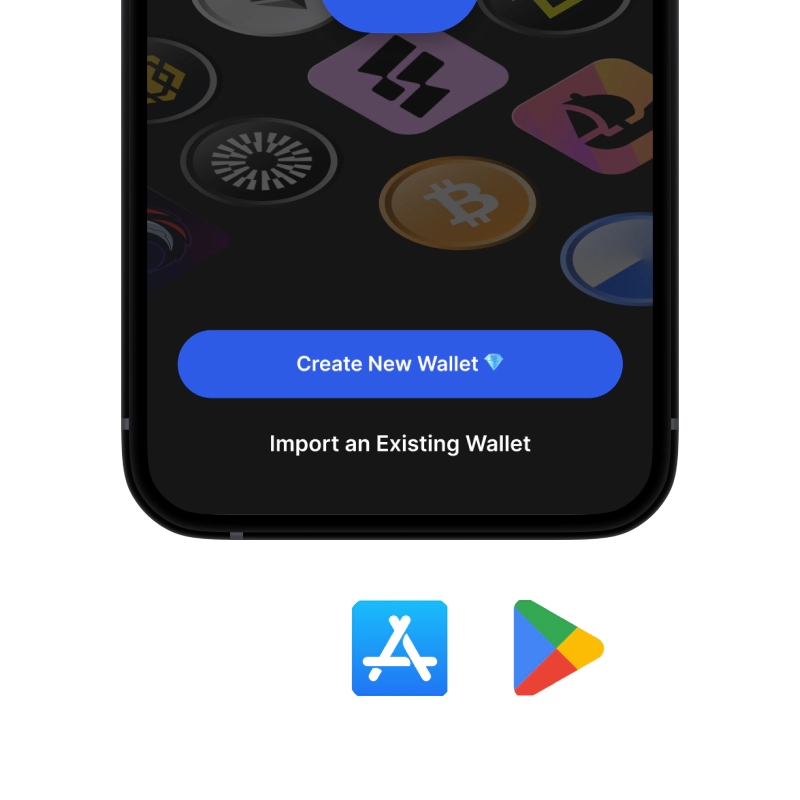
1. ਪ੍ਰਾਪਤ ਕਰੋ CELO ਬਟੂਆ

CELO ਵਾਲਿਟ: iOS , ਐਂਡਰਾਇਡ & ਏਪੀਕੇ

recovery phrase screen

2. ਬਣਾਓ CELO ਬਟੂਆ

ਇੱਕ ਨਵਾਂ ਵਾਲਿਟ ਬਣਾਓ, ਗੁਪਤ ਵਾਕੰਸ਼ ਨੂੰ ਸੁਰੱਖਿਅਤ ਕਰੋ, ਅਤੇ ਆਪਣਾ ਪਤਾ ਪ੍ਰਾਪਤ ਕਰੋ CELO.

gem wallet security settings

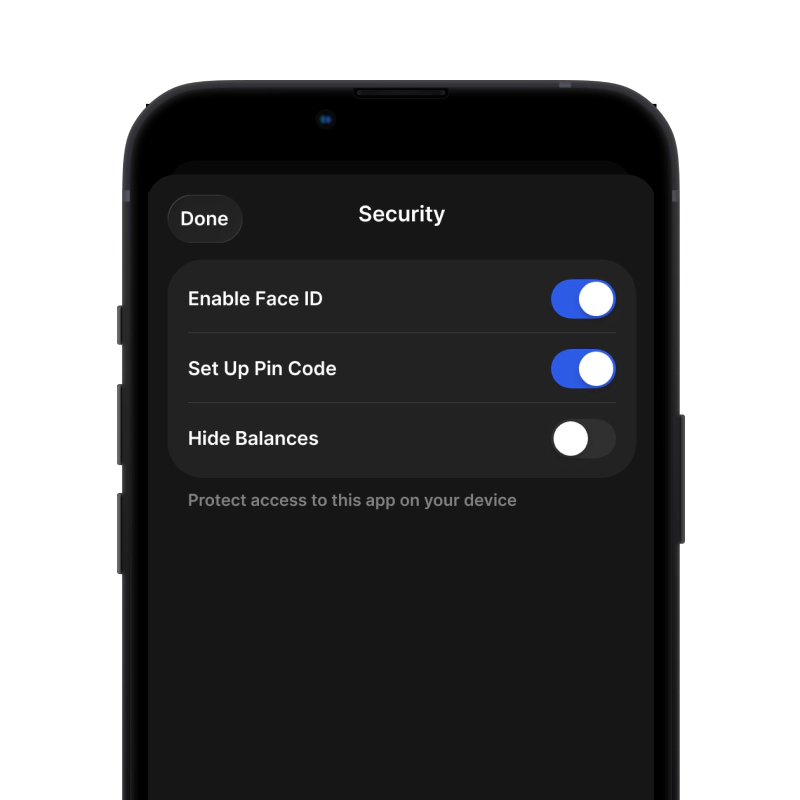
3. Set Up Security for Celo

Enable PIN or biometric authentication and you're ready to go

iOS ਲਈ CELO ਵਾਲਿਟ ਬਣਾਓ

ਆਈਫੋਨ 'ਤੇ ਆਪਣਾ Celo ਵਾਲਿਟ ਪ੍ਰਾਪਤ ਕਰੋ (2 ਮਿੰਟ):

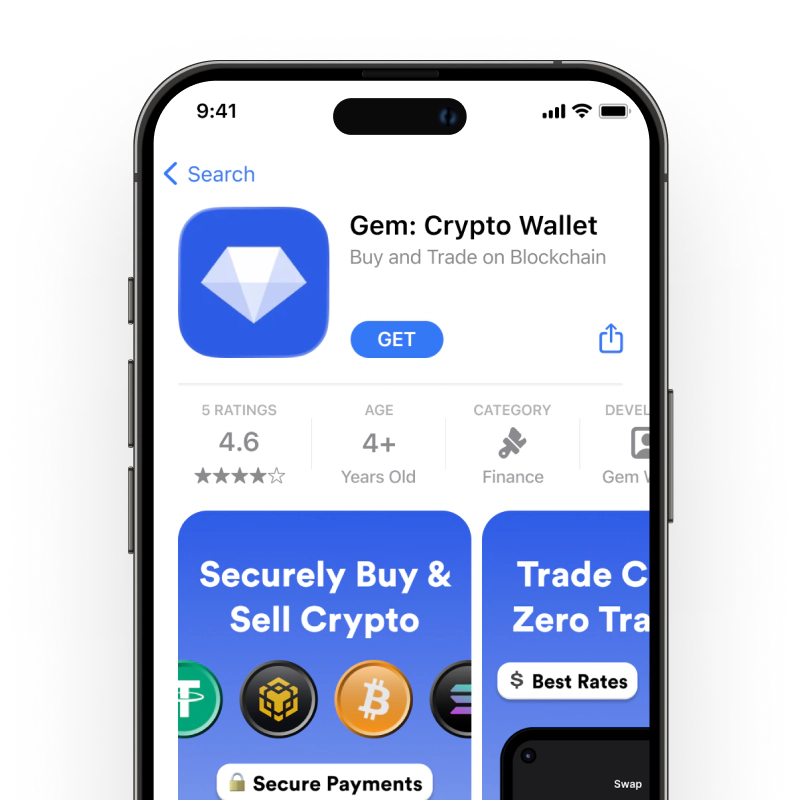
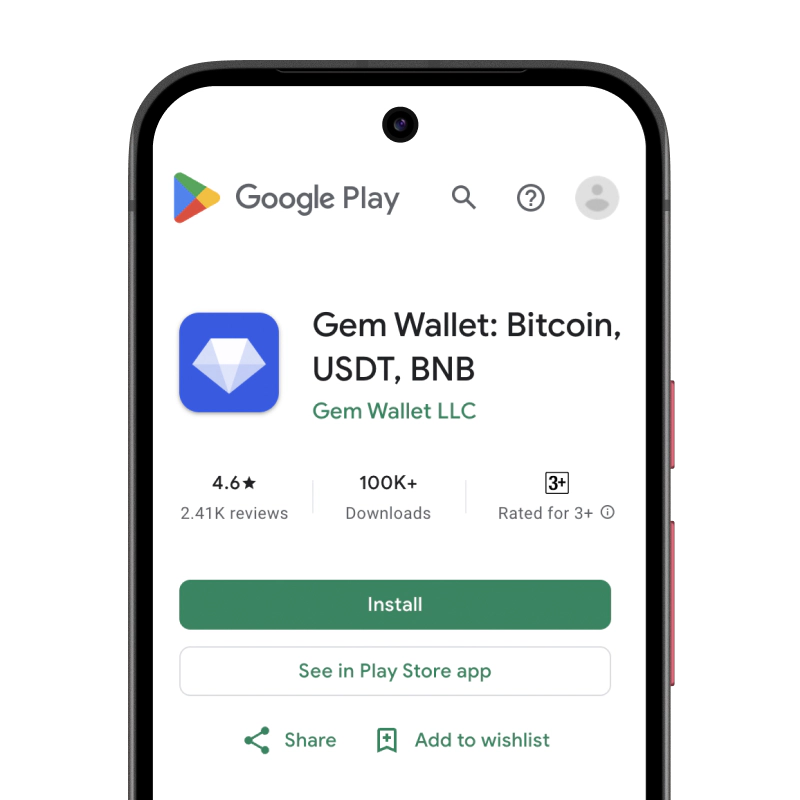
  1. ਐਪ ਸਟੋਰ ਖੋਲ੍ਹੋ ਅਤੇ "Gem Wallet" ਖੋਜੋ।
  2. ਐਪ ਡਾਊਨਲੋਡ ਅਤੇ ਸਥਾਪਿਤ ਕਰੋ (ਇਹ ਮੁਫ਼ਤ ਹੈ ਅਤੇ 50MB ਤੋਂ ਘੱਟ ਹੈ)
  3. Gem Wallet ਖੋਲ੍ਹੋ ਅਤੇ "ਨਵਾਂ Wallet ਬਣਾਓ" 'ਤੇ ਟੈਪ ਕਰੋ।
  4. ਆਪਣੇ ਗੁਪਤ ਵਾਕਾਂਸ਼ ਨੂੰ ਕਾਗਜ਼ 'ਤੇ ਲਿਖੋ - ਇਹ ਤੁਹਾਡਾ ਮਾਸਟਰ ਬੈਕਅੱਪ ਹੈ
  5. ਤੇਜ਼ ਅਤੇ ਸੁਰੱਖਿਅਤ ਪਹੁੰਚ ਲਈ ਫੇਸ ਆਈਡੀ ਨੂੰ ਸਮਰੱਥ ਬਣਾਓ ਜਾਂ ਇੱਕ ਪਿੰਨ ਕੋਡ ਸੈੱਟ ਕਰੋ
  6. ਹੋ ਗਿਆ!
iOS ਲਈ Gem ਵਾਲਿਟ ਡਾਊਨਲੋਡ ਕਰੋ
iOS ਲਈ CELO ਵਾਲਿਟ

ਐਂਡਰਾਇਡ ਲਈ CELO ਵਾਲਿਟ ਬਣਾਓ

ਐਂਡਰਾਇਡ 'ਤੇ ਆਪਣਾ Celo ਵਾਲਿਟ ਪ੍ਰਾਪਤ ਕਰੋ (2 ਮਿੰਟ):

  1. ਗੂਗਲ ਪਲੇ ਰਾਹੀਂ: ਪਲੇ ਸਟੋਰ ਵਿੱਚ "Gem Wallet" ਖੋਜੋ ਅਤੇ ਇੰਸਟਾਲ ਕਰੋ
  2. ਏਪੀਕੇ: ਵੱਧ ਤੋਂ ਵੱਧ ਗੋਪਨੀਯਤਾ ਅਤੇ ਨਿਯੰਤਰਣ ਲਈ ਏਪੀਕੇ ਫਾਈਲ ਡਾਊਨਲੋਡ ਕਰੋ
  3. ਐਪ ਖੋਲ੍ਹੋ ਅਤੇ "ਨਵਾਂ ਵਾਲਿਟ ਬਣਾਓ" ਚੁਣੋ।
  4. ਆਪਣੇ 12-ਸ਼ਬਦਾਂ ਦੇ ਗੁਪਤ ਵਾਕਾਂਸ਼ ਨੂੰ ਕਾਗਜ਼ 'ਤੇ ਲਿਖੋ।
  5. ਫਿੰਗਰਪ੍ਰਿੰਟ ਜਾਂ ਪਿੰਨ ਪ੍ਰਮਾਣੀਕਰਨ ਸੈੱਟਅੱਪ ਕਰੋ
  6. ਹੋ ਗਿਆ!
ਐਂਡਰਾਇਡ ਲਈ CELO ਵਾਲਿਟ

CELO ਪਤਾ ਕਿਵੇਂ ਪ੍ਰਾਪਤ ਕਰੀਏ

CELO ਵਾਲਿਟ ਪਤਾ ਪ੍ਰਾਪਤ ਕਰਨ ਲਈ, ਤੁਹਾਨੂੰ ਪਹਿਲਾਂ ਇੱਕ CELO ਵਾਲਿਟ ਬਣਾਉਣਾ ਜਾਂ ਆਯਾਤ ਕਰਨਾ ਪਵੇਗਾ। ਇਸ ਤੋਂ ਬਾਅਦ, ਐਪ ਤੁਹਾਡੇ ਲਈ ਆਪਣੇ ਆਪ ਪਤੇ ਤਿਆਰ ਕਰੇਗਾ।

1 ਖੋਲ੍ਹੋ Gem ਵਾਲਿਟ

ਆਪਣੇ ਫ਼ੋਨ 'ਤੇ ਐਪ ਲਾਂਚ ਕਰੋ ਅਤੇ ਆਪਣੀ ਸੰਪਤੀ ਸੂਚੀ ਵਿੱਚੋਂ CELO (Celo) ਚੁਣੋ।

2 "ਪ੍ਰਾਪਤ ਕਰੋ" ਬਟਨ 'ਤੇ ਟੈਪ ਕਰੋ

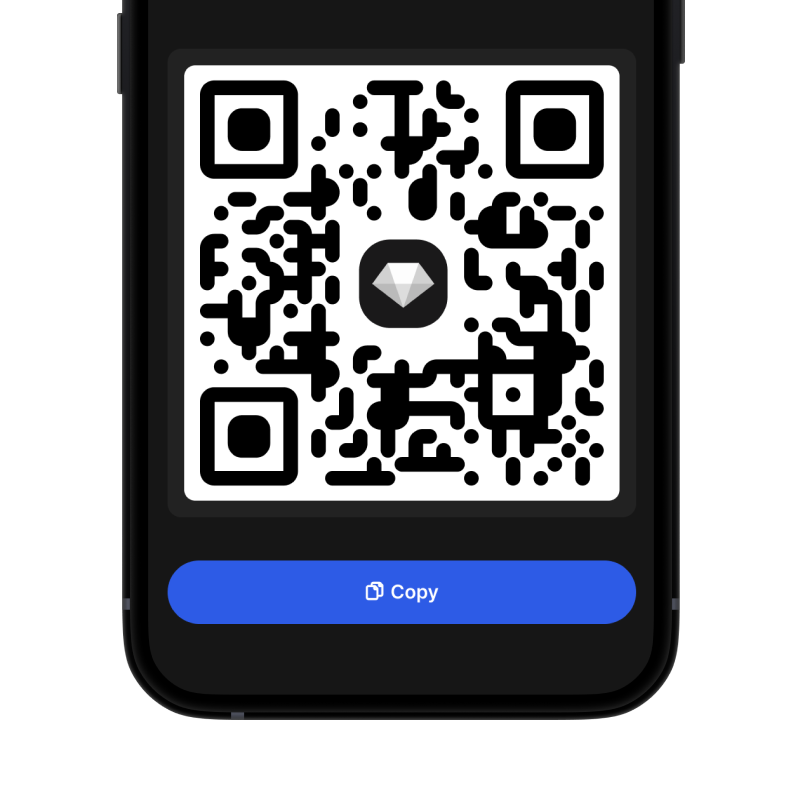
ਤੁਹਾਨੂੰ ਸਕ੍ਰੀਨ ਦੇ ਹੇਠਾਂ ਇੱਕ ਵੱਡਾ ਬਟਨ ਦਿਖਾਈ ਦੇਵੇਗਾ। ਤੁਹਾਡਾ CELO ਵਾਲਿਟ ਪਤਾ ਟੈਕਸਟ ਅਤੇ QR ਕੋਡ ਦੋਵਾਂ ਦੇ ਰੂਪ ਵਿੱਚ ਪ੍ਰਦਰਸ਼ਿਤ ਹੋਵੇਗਾ।

3 ਆਪਣਾ ਪਤਾ ਕਾਪੀ ਕਰੋ

ਪਤੇ ਨੂੰ ਕਲਿੱਪਬੋਰਡ 'ਤੇ ਕਾਪੀ ਕਰੋ, QR ਕੋਡ ਸਾਂਝਾ ਕਰੋ, ਜਾਂ ਇਸਨੂੰ ਸਿੱਧਾ ਮੈਸੇਜਿੰਗ ਐਪਸ ਰਾਹੀਂ ਭੇਜੋ।

Get CELO wallet address in Gem Wallet
🔄 ਅਸੀਮਤ ਪਤੇ

Gem Wallet ਵਿੱਚ, ਤੁਸੀਂ ਮੁਫ਼ਤ ਵਿੱਚ ਅਸੀਮਤ CELO ਪਤੇ ਤਿਆਰ ਕਰ ਸਕਦੇ ਹੋ। ਹਰੇਕ ਪਤਾ ਤੁਹਾਡੇ ਸੀਡ ਵਾਕੰਸ਼ ਤੋਂ ਲਿਆ ਗਿਆ ਹੈ ਅਤੇ ਹਮੇਸ਼ਾ ਤੁਹਾਡੇ ਨਿਯੰਤਰਣ ਵਿੱਚ ਰਹਿੰਦਾ ਹੈ।

📱 QR ਕੋਡਾਂ ਦੀ ਵਰਤੋਂ
  • ਕੋਈ ਟਾਈਪਿੰਗ ਗਲਤੀ ਨਹੀਂ - ਸਕੈਨਿੰਗ ਕਾਪੀ-ਪੇਸਟ ਗਲਤੀਆਂ ਨੂੰ ਰੋਕਦੀ ਹੈ
  • ਤੇਜ਼ ਲੈਣ-ਦੇਣ - ਬੱਸ ਆਪਣੇ ਫ਼ੋਨ ਦੀ ਸਕਰੀਨ ਦਿਖਾਓ
  • ਵਿਅਕਤੀਗਤ ਤੌਰ 'ਤੇ ਜਾਣ ਲਈ ਸੰਪੂਰਨ CELO ਭੁਗਤਾਨ

ਅਕਸਰ ਪੁੱਛੇ ਜਾਣ ਵਾਲੇ ਸਵਾਲ

1,000,000,000 ਸੀਈਐਲਓ
ਸੇਲੋ ਨੂੰ ਅਪ੍ਰੈਲ 2020 ਵਿੱਚ ਬਣਾਇਆ ਗਿਆ ਸੀ ਅਤੇ ਅਧਿਕਾਰਤ ਤੌਰ 'ਤੇ ਲਾਂਚ ਕੀਤਾ ਗਿਆ ਸੀ।
ਸੇਲੋ ਨੂੰ ਸੇਲੋ ਫਾਊਂਡੇਸ਼ਨ ਦੇ ਖੋਜਕਰਤਾਵਾਂ, ਡਿਜ਼ਾਈਨਰਾਂ ਅਤੇ ਡਿਵੈਲਪਰਾਂ ਦੀ ਇੱਕ ਟੀਮ ਦੁਆਰਾ ਵਿਕਸਤ ਕੀਤਾ ਗਿਆ ਸੀ, ਜੋ ਕਿ ਇੱਕ ਗੈਰ-ਮੁਨਾਫ਼ਾ ਸੰਸਥਾ ਹੈ ਜੋ ਵਿਸ਼ਵ ਪੱਧਰ 'ਤੇ ਕ੍ਰਿਪਟੋਕਰੰਸੀ ਅਪਣਾਉਣ ਅਤੇ ਵਿੱਤੀ ਸਮਾਵੇਸ਼ ਨੂੰ ਵਧਾਉਣ ਲਈ ਸਮਰਪਿਤ ਹੈ।
ਤੁਸੀਂ ਆਪਣੇ ਵਾਲਿਟ ਵਿੱਚ ਸੰਪਤੀ ਦੇ ਪੰਨੇ 'ਤੇ ਹਮੇਸ਼ਾਂ ਮੌਜੂਦਾ ਕੀਮਤ ਦੀ ਜਾਂਚ ਕਰ ਸਕਦੇ ਹੋ। ਇਹ ਕੀਮਤ ਦੀਆਂ ਗਤੀਵਿਧੀਆਂ ਬਾਰੇ ਅਪਡੇਟ ਰਹਿਣ ਦਾ ਇੱਕ ਸਰਲ ਅਤੇ ਜਾਣਕਾਰੀ ਭਰਪੂਰ ਤਰੀਕਾ ਹੈ।